Discover the best scanner app for food to meet your health goals. We review 12 top apps for nutrition tracking, ingredient analysis, and heart health.
link copied
Navigating the world of nutrition can feel overwhelming, especially when trying to make heart-healthy choices. A quick trip to the grocery store reveals aisles of products with complex nutrition labels and long ingredient lists. This is where a scanner app for food becomes an essential tool, transforming your smartphone's camera into a powerful dietary assistant. These applications help you instantly decode what's in your food, from calories and macronutrients to specific ingredients like sodium and saturated fats, which are critical for cardiovascular wellness.
This guide provides a comprehensive review of the top food scanner apps available today. We move beyond simple feature lists to offer a detailed analysis of each tool, focusing on its practical application for a heart-conscious lifestyle. You'll find a breakdown of each app's scanning technology (barcode, photo, or text recognition), its accuracy in estimating portion sizes and nutritional data, and its specific features relevant to heart health. To gain a deeper understanding of the diverse tools available for monitoring your dietary intake, explore our comprehensive review of the best food tracking app options.
Our goal is to help you find the right scanner app for food that integrates seamlessly into your health stack. For each app listed, we provide screenshots, direct links, and an honest assessment of its strengths and limitations. This article is for informational purposes only and is not a substitute for professional medical advice. Always consult with a healthcare provider before making significant changes to your diet or lifestyle. We've structured this resource to be straightforward and actionable, so you can quickly compare options and choose the best app for your personal health journey.
1. HeartFit
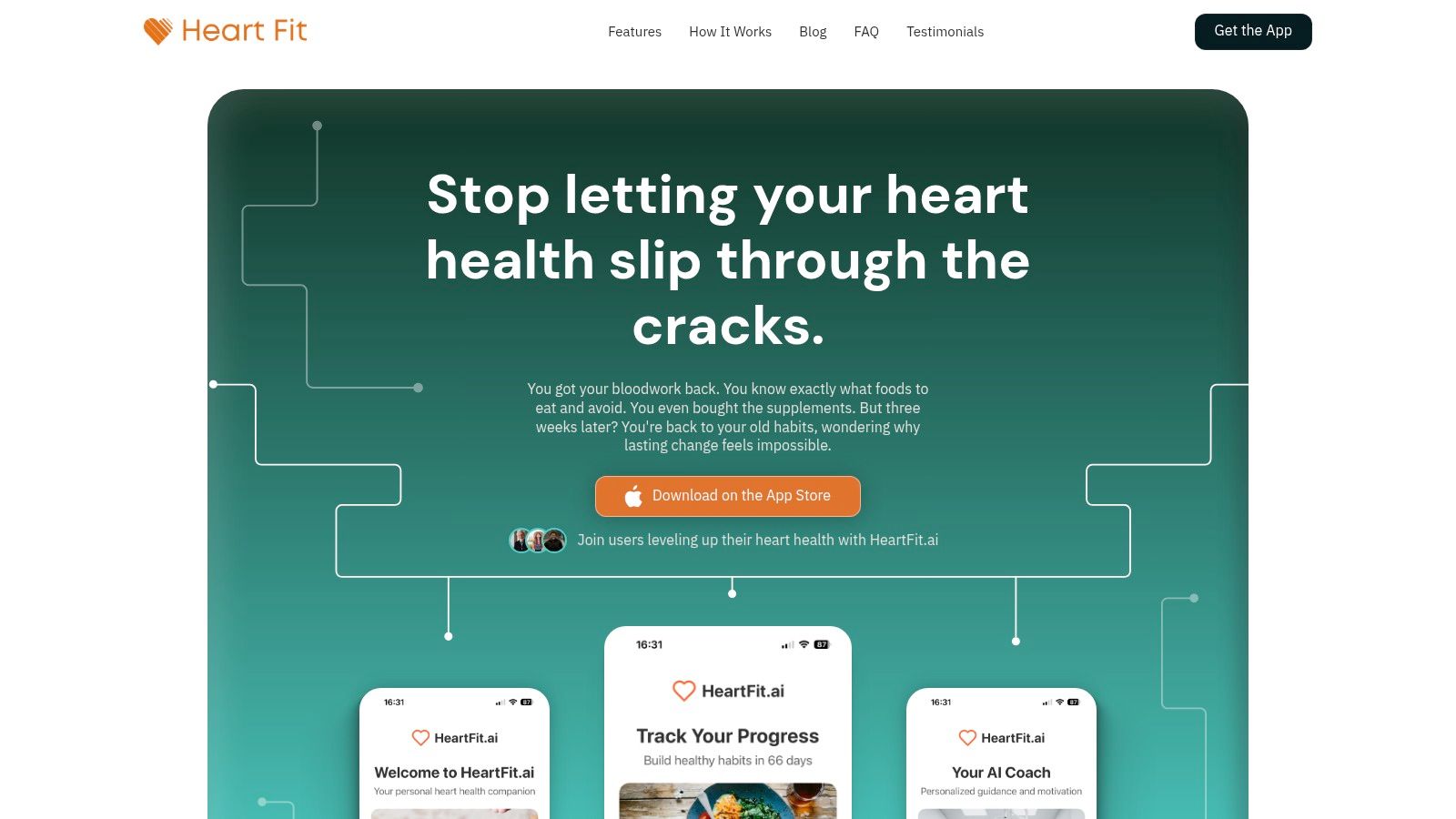
HeartFit stands out as a premier choice by moving beyond simple calorie counting to offer a highly personalized, habit-focused approach to nutrition, specifically tailored for heart health. Instead of generic diet plans, it integrates directly with your unique biological data. Users can import action plans from their healthcare provider or lab reports (like Function Health or Superpower), translating complex medical advice into a simple, actionable daily system. This makes it an exceptional tool for anyone looking to turn clinical recommendations into lasting lifestyle changes.
The platform’s core is its AI-powered scanner app for food, which provides instant meal-photo scoring. You simply take a picture of your food, and the AI analyzes it against your personalized heart-health goals, offering immediate feedback on how your meal aligns with your targets for things like sodium, fiber, and saturated fats. This visual, real-time feedback loop is a powerful motivator for making better choices consistently.
Key Features and Use Cases
Personalized Habit System: The app converts your specific health data into daily swipeable tasks, using a 66-day system designed to build sustainable habits. This is ideal for users who feel overwhelmed by vague advice like "eat healthier" and need concrete, prioritized steps.
AI Meal Scoring: This feature provides an objective score for your meals based on your unique health plan. It’s a practical tool for learning portion sizes and understanding the composition of your food without tedious manual entry.
Gamified Progress Tracking: With points, streaks, and rewards, the app makes adherence feel engaging rather than restrictive. It also includes a compassionate AI coach that offers encouragement and accountability, which is particularly helpful for staying on track after a setback.
Integration Workflow: Pair HeartFit with your regular clinician visits. Bring your weekly progress reports from the app to your appointments to have more data-driven conversations about what's working and where you need to adjust your approach. For a deeper understanding of the principles behind the app's recommendations, you can learn more about what constitutes a heart-healthy diet plan on Heartfit.ai.
Pros and Cons
Pros
Cons
Bloodwork-Driven Personalization: Directly translates lab results and doctor's advice into daily actions.
iOS Only: Currently appears to be limited to the Apple App Store, with no clear Android availability mentioned.
Not a Medical Device: Functions as a supportive coaching tool and is not a substitute for professional medical advice.
Instant AI Photo Scanning: Offers quick, visual feedback on meals without manual logging.
Accessible Pricing Model: A 7-day free trial followed by a flexible pay-what-you-want monthly subscription.
Getting Started
Access to HeartFit begins with a 7-day free trial, available on the App Store. Afterward, it uses a pay-what-you-want monthly subscription model, making it highly accessible. To maximize its effectiveness, start by importing your most recent lab work or a clear action plan from your doctor. This initial setup is crucial for tailoring the AI and habit system to your specific cardiovascular health needs.
2. Yuka — Food & Cosmetic Scanner
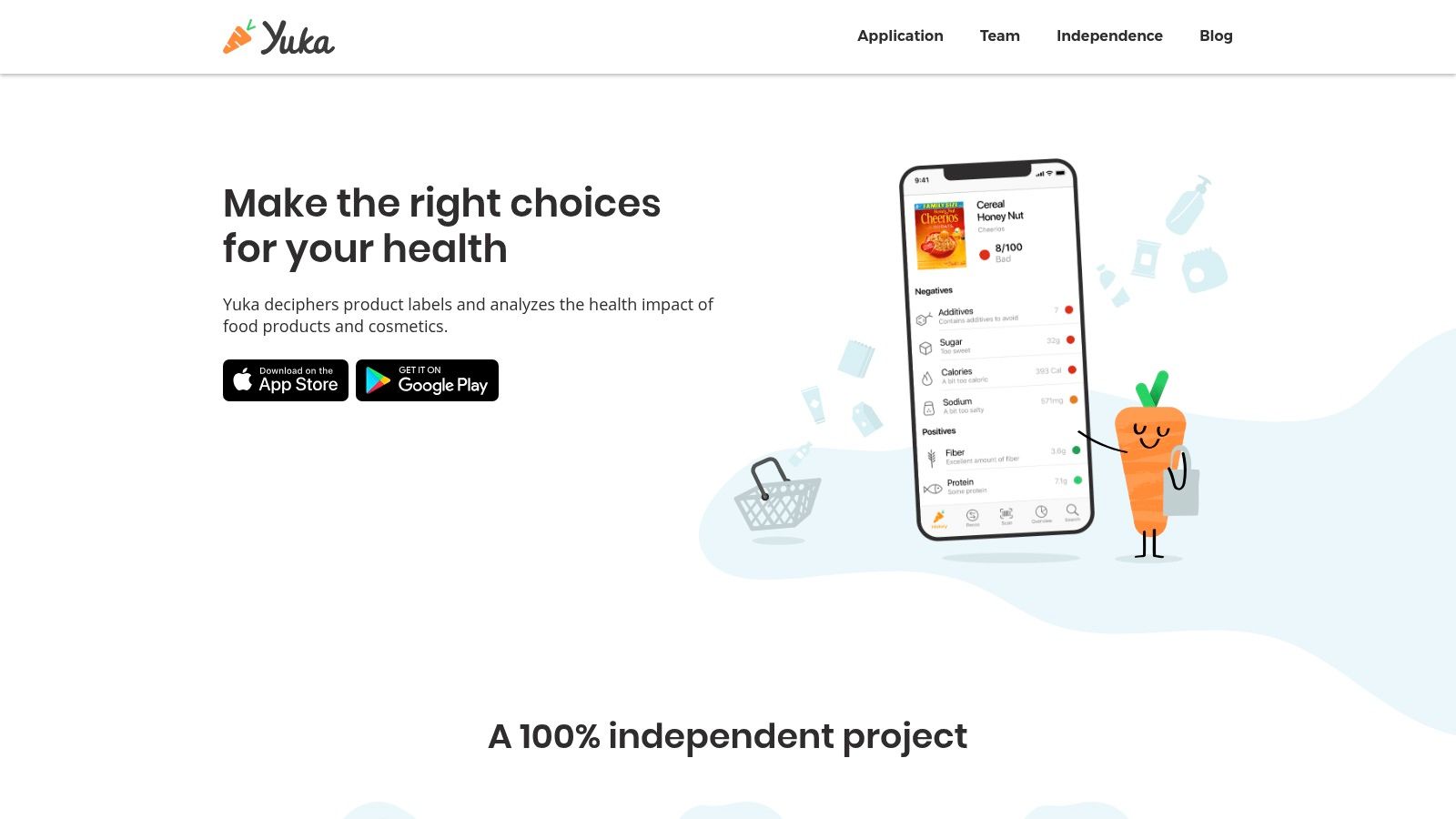
Yuka is a barcode scanner app for food and cosmetic products that stands out due to its staunch independence. It analyzes packaged foods and provides an instant, color-coded health score from 0 to 100 ("Excellent" to "Bad"). The app's primary mission is to promote transparency, operating without advertisements or brand influence, which builds significant user trust. Its scoring is based on nutritional quality (60%), the presence of additives (30%), and whether the product is organic (10%).
For those focused on heart health, Yuka automatically flags products high in sodium, saturated fats, and sugars. When a scanned item receives a poor rating, the app immediately suggests healthier alternatives, making it simple to make better choices right in the grocery aisle. The user interface is exceptionally clean and intuitive, making the large database of millions of products easy to navigate.
Key Features and Considerations
Scanning Type: Barcode scanning for packaged goods.
Heart-Health Focus: Automatically evaluates sodium, saturated fat, and sugar content as part of its scoring. The additive analysis also flags certain substances that may concern health-conscious individuals.
Limitations: The U.S. product database, while growing rapidly, is still less comprehensive than its European counterpart. Additionally, its risk assessment for certain additives is based on a precautionary principle, which may be stricter than regulatory agency stances like the FDA.
Cost: The core scanning and rating features are completely free. A Premium subscription ($19.99/year) unlocks offline mode, a search bar, and personalized dietary alerts (for gluten, lactose, etc.).
Integration Tip: Use Yuka for quick, on-the-spot grocery decisions, then log the healthier chosen items into your primary tracker like HeartFit for detailed nutrient analysis. For a deeper dive into how it compares with other tracking giants, you can explore the differences between Yuka and MyFitnessPal.
Fooducate is a U.S.-focused scanner app for food that grades products on a simple A to D scale, making it a long-standing favorite for American grocery shoppers. It goes beyond basic calorie counts to analyze overall nutritional quality, highlighting both positive attributes (like fiber and protein) and negative ones (such as excessive sugar, trans fats, and controversial additives). The platform’s core mission is to educate users on what is really inside their food.
For individuals managing heart health, Fooducate’s grading system automatically penalizes products high in sodium, saturated fats, and added sugars, which aligns with recommendations from the American Heart Association. When you scan an item with a low grade, the app provides a list of healthier, higher-rated alternatives, empowering you to make better choices on the spot. Its robust community features and extensive library of recipes also provide support beyond the initial scan.
Key Features and Considerations
Scanning Type: Barcode scanning with an A-D nutritional grade.
Heart-Health Focus: The grading algorithm specifically flags and down-ranks products for high levels of sodium, saturated fat, and added sugars. It also explains the "pros" and "cons" of each item in plain language.
Limitations: While its U.S. database is strong, the depth can vary for niche, artisanal, or new products. Many of the most powerful features, including detailed diet tracking and advanced health condition support, are locked behind the paid PRO subscription.
Cost: The core scanning, grading, and community features are free. Fooducate PRO unlocks advanced features like tracking for specific diets (e.g., keto, low-FODMAP), pet food scanning, and integration with Apple Health (pricing varies, typically around $49.99/year).
Integration Tip: Use Fooducate's barcode scanner in the grocery store for its quick grading system and alternative suggestions. Once you've chosen a heart-healthy option, enter it into a dedicated tracker like HeartFit to monitor its specific impact on your daily sodium and saturated fat targets.
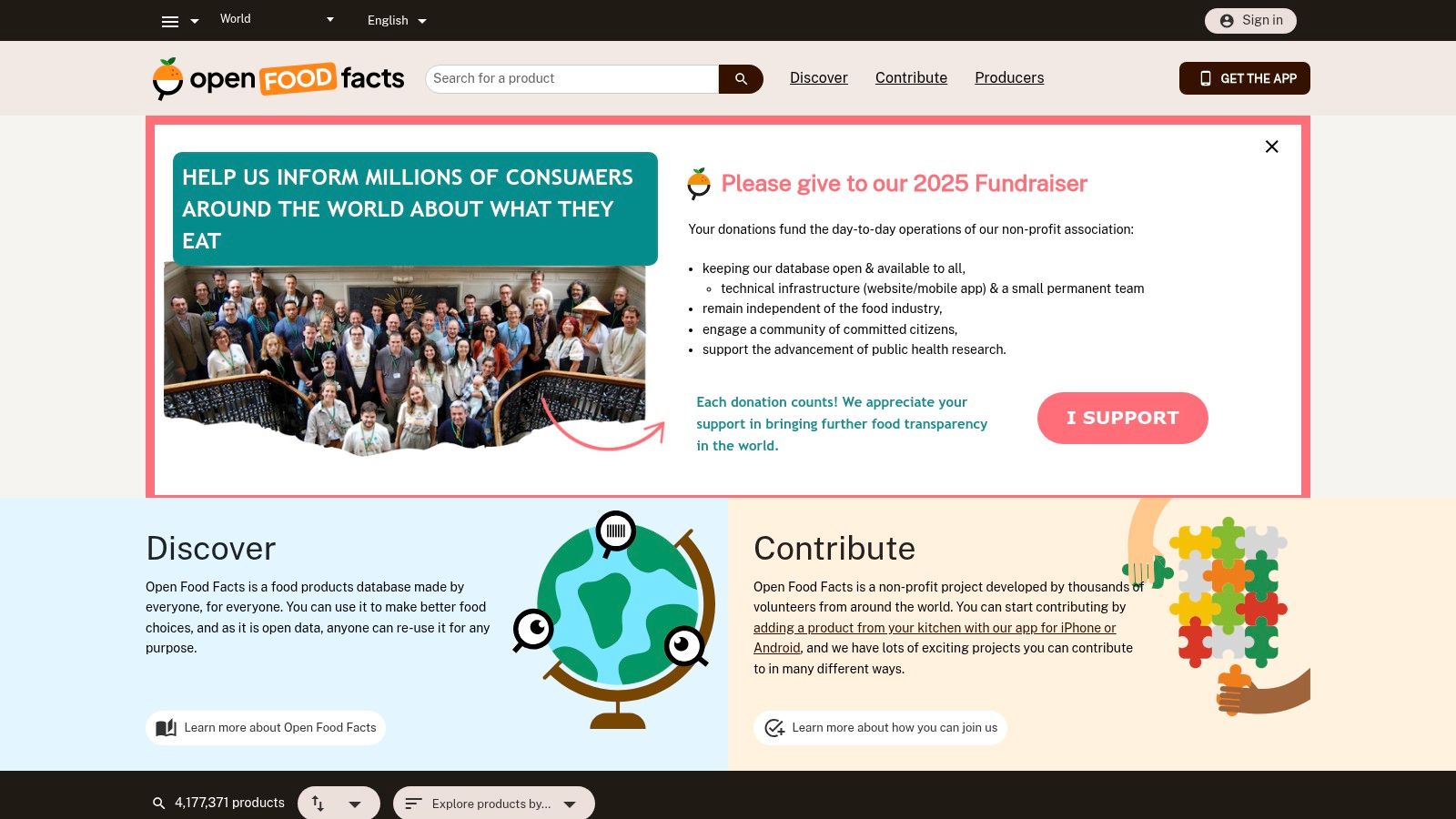
Open Food Facts is a non-profit, collaborative project best described as the "Wikipedia of food." It provides a free barcode scanner that taps into an open-source database of millions of products contributed by volunteers worldwide. This scanner app for food is unique because it is entirely community-driven and prioritizes data transparency over a polished user interface. It displays comprehensive, science-referenced indicators like the Nutri-Score, NOVA classification for food processing, and an Eco-Score.
For individuals focused on heart health, the app's strength lies in its raw, unfiltered data. You can quickly see detailed nutritional information, including sodium and saturated fats, alongside allergen warnings and ingredient lists. The app's display of the NOVA score is particularly useful, as it helps identify ultra-processed foods. For example, a 2019 study in The BMJ associated high consumption of ultra-processed foods with a higher risk of cardiovascular disease. Since its data is open, it powers dozens of other health applications and scientific research projects, highlighting its reliability and global reach.
Key Features and Considerations
Scanning Type: Barcode scanning for packaged goods.
Heart-Health Focus: Provides detailed nutritional facts, including sodium, sugar, and saturated fats. Its display of the NOVA score helps identify ultra-processed foods, which major health organizations like the World Health Organization suggest limiting for better cardiovascular health.
Limitations: Because the data is crowd-sourced, it can occasionally have gaps, inaccuracies, or inconsistencies. The user interface is functional but more data-heavy and less polished than commercially-funded apps.
Cost: Completely free. The platform is a non-profit and operates on donations, with no advertisements or premium features.
Integration Tip: Use Open Food Facts to cross-reference data or find information on niche or international products that other apps might miss. You can contribute by adding photos and data for missing products, improving the ecosystem for everyone.
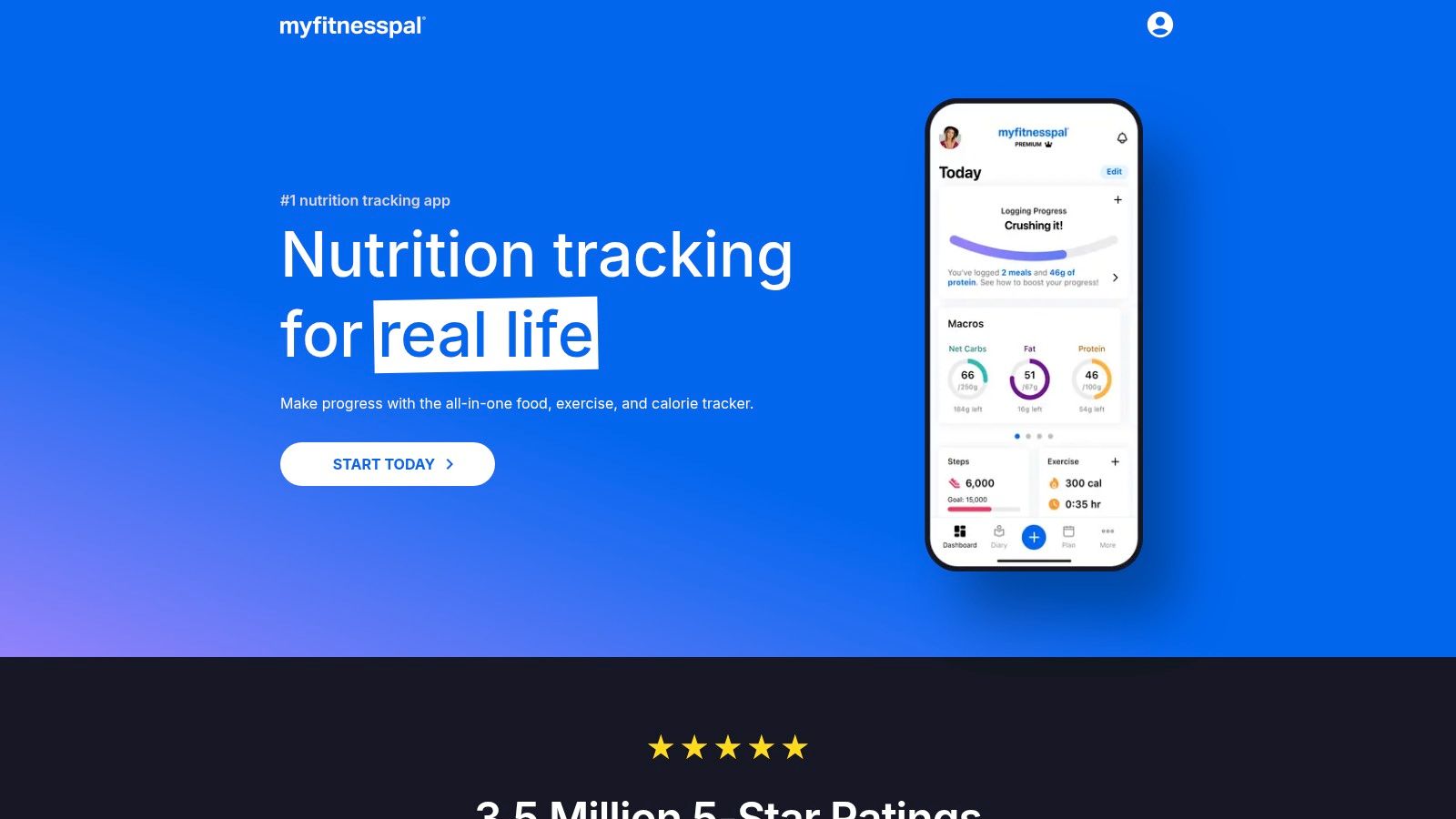
As one of the most established names in digital nutrition tracking, MyFitnessPal offers a robust platform with an enormous user-generated food database. While its primary function is manual logging, its barcode scanner is a key feature for quickly adding packaged foods. The app excels in providing detailed macro and micronutrient breakdowns, making it a powerful tool for those who want to analyze their diet beyond simple calorie counting.
For users tracking heart-health metrics, MyFitnessPal allows for the detailed monitoring of sodium, fiber, and saturated fats once an item is logged. Its massive database, especially for U.S. products, means most items are found with a quick scan. The premium version enhances this with additional features like Meal Scan, which uses photo recognition to identify and log entire meals. However, it's crucial to note that the barcode scanner, once a free feature, now requires a Premium subscription in the U.S.
Key Features and Considerations
Scanning Type: Barcode scanning (Premium only in the U.S.), Meal Scan (photo recognition).
Heart-Health Focus: While not its primary filter, users can set specific goals for sodium, saturated fat, and fiber. Logged foods contribute to these daily totals, allowing for detailed tracking against recommendations from organizations like the American Heart Association.
Limitations: The barcode scanner is behind a paywall for U.S. users, which is a significant drawback compared to free alternatives. The database, being largely user-generated, can sometimes contain inaccuracies that require manual verification.
Cost: A free version is available for manual logging. MyFitnessPal Premium ($19.99/month or $79.99/year) unlocks the barcode scanner, Meal Scan, and removes ads.
Integration Tip: Use MyFitnessPal as your master database for its comprehensive nutrient data. You can learn more about how it fits into a broader ecosystem by exploring options for a food scanner app.
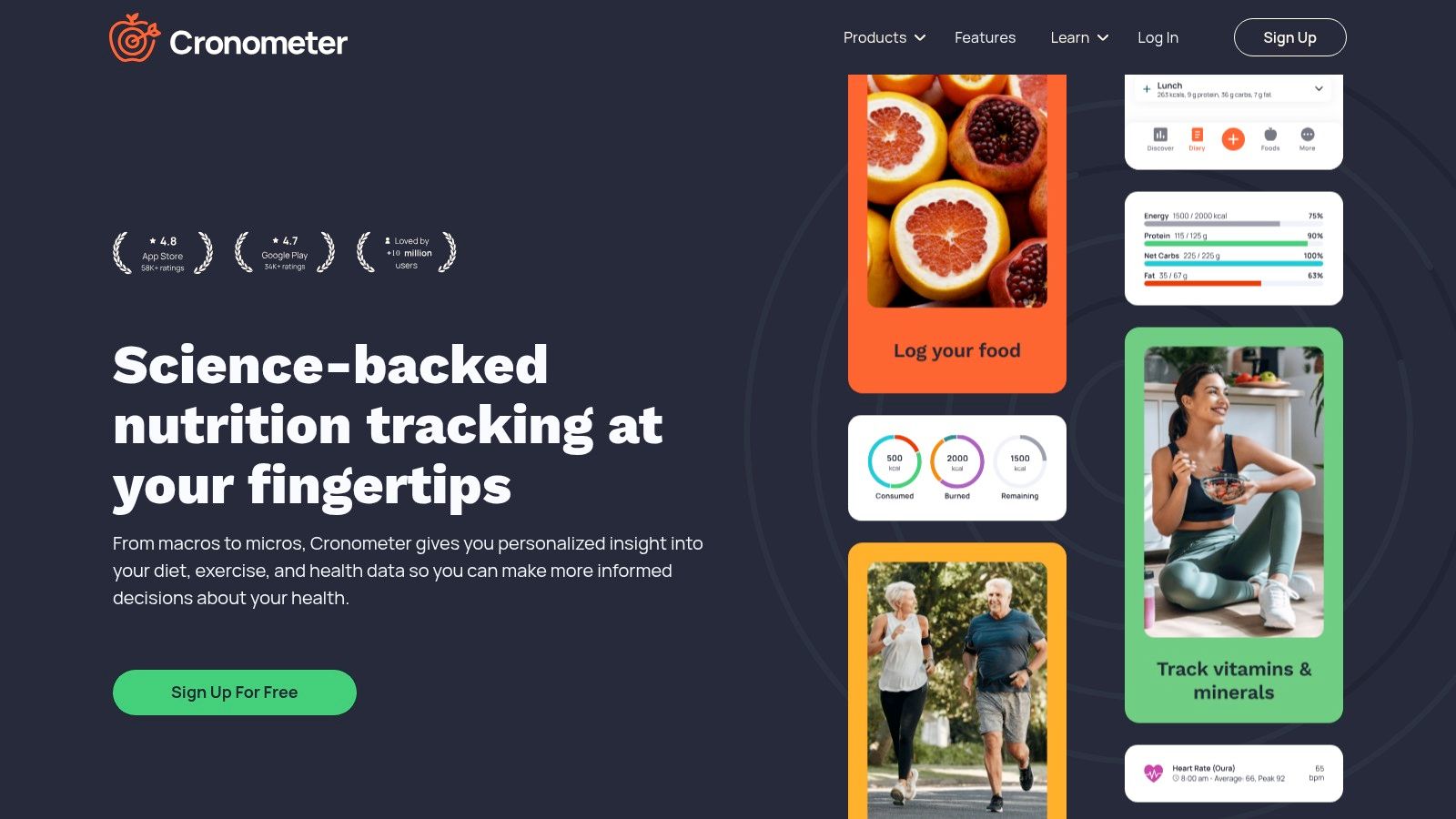
6. Cronometer — Nutrition Tracker with Free Scanner
Cronometer is a precision-focused nutrition tracker highly regarded by dietitians and users who meticulously track both macro and micronutrients. It differentiates itself by offering a free, integrated barcode scanner available to all users, not just paying subscribers. This scanner app for food is backed by a curated, lab-analyzed food database, ensuring a higher degree of accuracy for its detailed nutrient breakdowns, which cover over 82 different nutrients and compounds.
For those managing heart health, Cronometer’s detailed tracking is invaluable. Users can monitor specific nutrients like sodium, potassium, and different types of fats (saturated, monounsaturated, polyunsaturated) with professional-grade accuracy. The platform also allows for the creation of custom foods by taking photos of nutrition labels, making it easy to add new or unique items to your daily log while maintaining data integrity. Its active community and support forums provide a robust resource for users seeking guidance.
Key Features and Considerations
Scanning Type: Built-in barcode scanning for packaged foods and OCR for creating custom foods from nutrition labels.
Heart-Health Focus: Provides exceptionally detailed tracking of sodium, potassium, fiber, and various fatty acids. Users can set custom daily targets for these key nutrients, aligning with recommendations from sources like the American Heart Association.
Limitations: While the scanner is a core feature, it can occasionally experience bugs following major app updates, though these are typically resolved quickly. The most advanced features, like a nutrition oracle and in-depth reporting, are reserved for the paid Gold subscription.
Cost: The core app, including the barcode scanner and detailed nutrient tracking, is free. An optional Gold subscription (starting at $9.99/month) unlocks advanced features like timestamps, recipe sharing, and an ad-free experience.
Integration Tip: Use Cronometer's barcode scanner to log your packaged foods accurately. Sync it with a wearable device (like Fitbit or Apple Watch) to automatically import your activity data, giving you a complete picture of your daily energy balance alongside your precise nutrient intake.
YAZIO is a polished and comprehensive nutrition app that functions as an all-in-one calorie and habit tracker. Its barcode scanner for food is a core feature, allowing for the rapid logging of packaged items from its extensive global database. The app distinguishes itself by integrating modern technology, such as an AI-powered photo scanner that can identify entire meals from a picture and suggest log entries, simplifying the tracking process for complex, home-cooked dishes.
The user interface is clean, fast, and highly motivating, which encourages consistent use. For those managing heart health, YAZIO's detailed nutrient tracking provides a clear overview of daily sodium, saturated fat, and fiber intake against personalized goals. The platform also offers a large library of healthy recipes and integrated fasting timers, supporting a holistic approach to wellness beyond simple calorie counting. Its active development cycle means new features and improvements are frequently rolled out.
Key Features and Considerations
Scanning Type: Barcode scanning for packaged foods and an experimental AI photo scanner for logging entire meals.
Heart-Health Focus: Provides detailed tracking of key nutrients like sodium, saturated fat, cholesterol, and fiber. The recipe database can be filtered for heart-healthy options, and habit trackers can remind users to prioritize goals like hydration or vegetable intake.
Limitations: While the free version is functional, many of the most powerful features, including automatic nutrient tracking and access to the full recipe library, require a YAZIO PRO subscription. Some users have noted occasional UX frustrations, like the scanner button's placement in the app's interface.
Cost: The basic app with barcode scanning and calorie counting is free. YAZIO PRO unlocks all features, including advanced nutrient stats, recipes, and automatic tracking, with plans starting around $49.99/year (prices vary by region and promotion).
Integration Tip: Use YAZIO's robust food database and quick-logging features for daily tracking. Export your weekly summaries or take screenshots of your nutrient reports to discuss specific patterns, like high sodium days, with your health coach or within the HeartFit community.
8. EWG Healthy Living — Food and Product Ratings Scanner
The Environmental Working Group (EWG) Healthy Living app is a scanner app for food that extends its scope far beyond nutrition alone. Backed by a U.S. nonprofit focused on environmental health, it rates products on a 1-10 scale (with 1 being the best) based on ingredient concerns, processing levels, and nutritional value. This approach is ideal for individuals looking to understand the broader health implications of a product, including potential exposure to pesticides, contaminants, and questionable food additives.
What makes the EWG app unique is its unified database for food, personal care, and household cleaning products. A single barcode scan reveals potential hazards and concerns across different product types, empowering users to reduce their overall chemical exposure. For heart health, its detailed analysis of food processing and additives offers a different perspective from apps that focus solely on macronutrients, highlighting ingredients that health-conscious consumers may wish to avoid.
Key Features and Considerations
Scanning Type: Barcode scanning for packaged food, personal care, and cleaning products.
Heart-Health Focus: While not its primary filter, the app's analysis of food processing and additives provides context on ingredients that may impact overall wellness. It helps users identify and avoid highly processed foods, a key recommendation from organizations like the American Heart Association.
Limitations: The scoring methodology can be controversial and is sometimes stricter than official regulatory guidance. The Android version has historically faced availability issues in certain regions, and its food database is not as exhaustive as some nutrition-first applications.
Cost: The app is completely free to download and use, supported by the nonprofit Environmental Working Group.
Integration Tip: Use EWG Healthy Living to vet new products for ingredient and processing concerns before you buy. If a food passes your criteria, you can then log its nutritional information into a dedicated tracker like HeartFit for a complete picture of its impact on your daily health goals.
Sift Food Labels is a U.S.-focused scanner app for food designed to demystify complex ingredient lists. Its core function is to translate confusing chemical names and additives into plain, easy-to-understand language. By scanning a barcode, users can instantly see a breakdown of ingredients, with specific flags for additives that are banned in other countries, potential allergens, or ingredients that don't align with popular dietary protocols. This makes it an invaluable tool for anyone managing food sensitivities or following a specific elimination diet.
The app's standout feature is its powerful diet filtering. Users can set their profile to specific plans like Paleo, AIP, Low FODMAP, or dairy-free, and Sift will automatically identify non-compliant products. For those focused on heart health, this helps pinpoint hidden sources of sodium, refined sugars, and inflammatory ingredients that may not be obvious from the main nutrition panel. The clean interface and straightforward explanations empower users to understand precisely what is in their food, moving beyond just the numbers.
Key Features and Considerations
Scanning Type: Barcode scanning for U.S. packaged food products.
Heart-Health Focus: Excels at identifying hidden sugars, inflammatory additives, and other ingredients that health-conscious individuals may wish to avoid. It flags ingredients that may not be ideal for a heart-healthy diet.
Limitations: The app is currently iOS-first, with limited availability and functionality on Android. Its product database is smaller than global giants like Yuka or Fooducate, so you may encounter unscannable items more frequently.
Cost: The basic scanning and ingredient translation features are free. Advanced diet filters and an expanded feature set are available through in-app purchases or a subscription model.
Integration Tip: Use Sift as your ingredient investigator to vet products for clean, heart-healthy ingredients. Once a product passes your Sift test, log it into a comprehensive tracker like HeartFit to monitor its specific impact on your daily sodium, fiber, and saturated fat goals.
10. Fig — Food Scanner for Allergies, FODMAP, and Special Diets
Fig is a purpose-built scanner app for food designed for individuals with complex dietary needs, including allergies and specific health-related diets. It goes beyond simple nutrition by allowing users to create a highly personalized profile based on thousands of potential allergens and dietary restrictions, such as low FODMAP, gluten-free, low histamine, and Alpha-Gal. The app scans a product's barcode and instantly cross-references its ingredients with your profile, providing a clear "Yes," "Maybe," or "No" compatibility rating.
This platform is invaluable for anyone managing conditions where specific ingredients, not just macronutrients, are a primary concern. Its strength lies in its granularity and dietitian-curated insights, which help explain why a product might not be suitable. For households with multiple dietary needs, the premium Fig+ subscription allows for the creation of multiple profiles, simplifying grocery shopping for the entire family. The paid tiers also unlock features like restaurant and store discovery to find compatible options nearby.
Key Features and Considerations
Scanning Type: Barcode scanning for ingredient-level analysis against personal dietary profiles.
Heart-Health Focus: While not its primary function, Fig can be configured to avoid specific ingredients that may impact heart health, such as high-fructose corn syrup or certain additives. Its core value is in preventing inflammatory or allergic reactions, which is a component of overall wellness.
Limitations: The free version limits the number of monthly scans, which may be insufficient for a full grocery trip. Some users have also reported occasional app stability issues on specific Android or iOS versions.
Cost: A free tier is available with limited scans. The Fig+ subscription (starting at $39.99/year) unlocks unlimited scans, multiple profiles ("Multiple Figs"), and advanced discovery features.
Integration Tip: Use Fig as your primary gatekeeper at the grocery store to ensure foods are safe for your specific intolerances or allergies. Once you find compatible products, you can then log them into a dedicated nutrient tracker like HeartFit to monitor sodium, fiber, and saturated fat intake.
11. Spoonful — Food Scanner for Low FODMAP, Gluten-Free, Allergens
Spoonful is a highly specialized scanner app for food designed for individuals navigating complex dietary restrictions like Low FODMAP, gluten-free, and other common allergens. Developed with insights from dietitians, it goes beyond simple nutritional data to provide clear, actionable compliance information. When you scan a barcode, the app instantly labels the product with a simple green (compliant), yellow (use caution), or red (non-compliant) indicator based on your selected diet. This makes it an invaluable tool for those with conditions like IBS or Celiac disease.
The platform is built to make restrictive dieting less stressful. Its catalog of over 700,000 products is paired with helpful features like shopping lists, user notes, and substitute suggestions for non-compliant items. For those with specific dietary needs, such as a gluten-free diet, understanding ingredient nuances is crucial. Resources can help clarify common questions, like this guide on whether extra virgin olive oil is gluten-free, which complements the in-app guidance Spoonful provides for packaged goods.
Key Features and Considerations
Scanning Type: Barcode scanning with color-coded diet compliance indicators.
Heart-Health Focus: While not its primary function, Spoonful supports heart health by helping users avoid inflammatory triggers and processed foods containing problematic additives, which can be beneficial for overall wellness.
Limitations: The free version limits the number of scans and searches, pushing frequent users toward a subscription. While its U.S. product database is strong, coverage in other international markets is still expanding.
Cost: A free tier is available with limited scans. The Spoonful Unlimited subscription is required for unrestricted use of all features, including unlimited scanning and diet filters.
Integration Tip: Use Spoonful to confidently build your grocery list according to your dietary needs. Once you've purchased compliant items, log the meals in a comprehensive tracker like HeartFit to monitor their impact on broader heart health metrics like sodium and saturated fat intake.
12. Lose It! — Calorie Counter with Barcode Scanner (Premium)
Lose It! is a highly polished and long-standing calorie counting app that has built a large, loyal user base, particularly in the U.S. While primarily a manual food logger, its Premium version includes a robust barcode scanner that streamlines the process of tracking packaged foods. The app's strength lies in its comprehensive approach, combining calorie tracking with macro targets, meal planning, and community support features to provide a holistic weight management experience.
For users focused on heart health, the Premium features are particularly valuable. You can set specific goals for nutrients like sodium, saturated fat, and dietary fiber, and the app will track your daily intake against these targets. When you use the barcode scanner, it pulls in all available nutrient data, making it easy to see how a specific product impacts your heart-health goals for the day. Its extensive food database and polished logging workflow make it a formidable scanner app for food tracking.
Key Features and Considerations
Scanning Type: Barcode scanning for packaged foods (Premium feature). Also offers photo-based food recognition (Snap It™) and voice logging.
Heart-Health Focus: Premium users can set and monitor specific daily targets for key nutrients like sodium, saturated fat, fiber, and sugar.
Limitations: The core barcode scanning functionality is typically locked behind the Premium subscription, making the free version less useful as a scanner. Some users have reported occasional scanner instability following major app updates.
Cost: The basic app is free. A Premium subscription, which unlocks the scanner, macro tracking, and planning tools, is typically $39.99/year, though frequent promotions are often available.
Integration Tip: Use the Lose It! scanner for its speed and access to a massive food database. At the end of the day, cross-reference your totals for sodium and saturated fats with the more specialized tracking and insights available in your primary heart health app like HeartFit.
Lose It! — Calorie Counter with Barcode Scanner (Premium)
Calorie counter with photo/voice logging; macro targets
Goal personalization for calories/macros; no clinician import
Polished logging UX; large community
Freemium; Premium subscription for scanner & extras
Mainstream calorie counters who want a polished app
Final Thoughts
Navigating the digital aisle of nutrition apps can be as overwhelming as navigating a real grocery store without a list. Throughout this guide, we've dissected a dozen of the most effective food scanner apps, each offering a unique lens through which to view your dietary choices. From the comprehensive, heart-health-focused ecosystem of HeartFit to specialized tools like Fig for dietary restrictions and open-source databases like Open Food Facts, the right digital companion for your health journey exists. The key is aligning the app’s strengths with your specific goals.
Our exploration has revealed that no single scanner app for food is universally perfect. The "best" app is subjective, hinging entirely on your personal health objectives, dietary needs, and tracking style. The optimal choice is one that reduces friction in your daily life, provides insights you can act upon, and motivates you to stay consistent.
Key Takeaways for Choosing Your Food Scanner App
To distill our findings into actionable advice, here are the most critical factors to consider as you make your decision:
Define Your Primary Goal: Are you tracking macros for fitness (MyFitnessPal, Cronometer), monitoring specific nutrients like sodium for heart health (HeartFit, Fooducate), avoiding allergens (Fig, Spoonful), or simply trying to understand processed food ingredients (Yuka, EWG Healthy Living)? Your primary objective should be the main filter for your selection.
Evaluate the Scanning Technology: Barcode scanning is the most reliable and widely available feature, ideal for packaged goods. For fresh foods or restaurant meals, apps with advanced photo recognition and AI analysis, like YAZIO, are more suitable, though they may require more manual verification.
Prioritize Heart-Health Metrics: If cardiovascular wellness is your focus, as recommended by the American Heart Association, don't just look for a calorie counter. Scrutinize an app's ability to prominently track and report on sodium, saturated fats, dietary fiber, and added sugars. This is where an integrated system like HeartFit excels by design.
Consider the Entire Ecosystem: A scanner is just one tool. Think about how it integrates with your overall health stack. Does it sync with your primary health app, like Apple Health or Google Fit? More importantly, does it complement a specialized platform like HeartFit by feeding it accurate, granular data for a more holistic view of your cardiovascular health? A seamless workflow is crucial for long-term adherence.
Don't Underestimate the User Experience: An app with powerful features is useless if it's clunky and frustrating to use. Test a few options. Is the interface intuitive? Is the database comprehensive for the foods you commonly eat? A smooth, quick logging process is the difference between a habit that sticks and an app that gets deleted.
Ultimately, using a scanner app for food is about empowerment. It’s about transforming abstract nutritional data into tangible, daily choices that build a foundation for better health. These tools help demystify complex food labels and provide immediate feedback, turning every meal into an opportunity to learn and improve. Remember that these apps are aids, not doctors. Always consult with a healthcare provider or a registered dietitian before making significant changes to your diet, especially if you have pre-existing health conditions. The information from these apps should serve as a starting point for a more informed conversation with your medical team. Your journey to better health is a marathon, not a sprint, and the right technology can be a powerful pacer along the way.
Ready to connect your food choices directly to your cardiovascular wellness? While many of the apps on this list are excellent for data collection, HeartFit is designed to interpret that data through the specific lens of heart health. Integrate your dietary logs to see the real-time impact on your blood pressure, cholesterol, and other key metrics by visiting HeartFit to start your personalized journey today.