Explore our in-depth Yuka App vs MyFitnessPal comparison. Understand the key differences in features and use cases to decide which app is right for you.

Disclaimer: This article is for informational purposes only and is not a substitute for professional medical advice. Always consult with a qualified healthcare provider before making any changes to your diet, lifestyle, or medication.
When you're standing in the grocery aisle, phone in hand, trying to decide between Yuka and MyFitnessPal, it boils down to one simple question: are you trying to improve the quality of your food, or track the quantity?
Think of Yuka as your personal shopping assistant, scanning barcodes to give you the low-down on ingredients, additives, and the overall healthiness of a product. On the other hand, MyFitnessPal is like a meticulous food accountant, logging every calorie, carbohydrate (a major source of energy), and gram of protein you consume.
Your primary health goal is the ultimate tie-breaker here. Are you on a mission to clean up your diet, ditch questionable additives, and choose more whole, natural foods? Yuka is your app. But if your focus is on managing your weight or hitting specific macronutrient targets for fitness, MyFitnessPal is the clear winner.
While they both live in the "nutrition app" world, they come from very different places. MyFitnessPal is a titan of the industry, launched way back in 2005 and now boasting over 200 million users. It’s the go-to for calorie counting. Yuka is the newer kid on the block, arriving in 2017 and quickly gaining a loyal following, especially in Europe, for its straightforward approach to ingredient transparency.
To make the choice even clearer, let's look at their core differences side-by-side.
This table breaks down exactly what sets these two popular apps apart, helping you see at a glance which one aligns with your health objectives.
As you can see, their missions are fundamentally different, which is why they serve distinct needs.
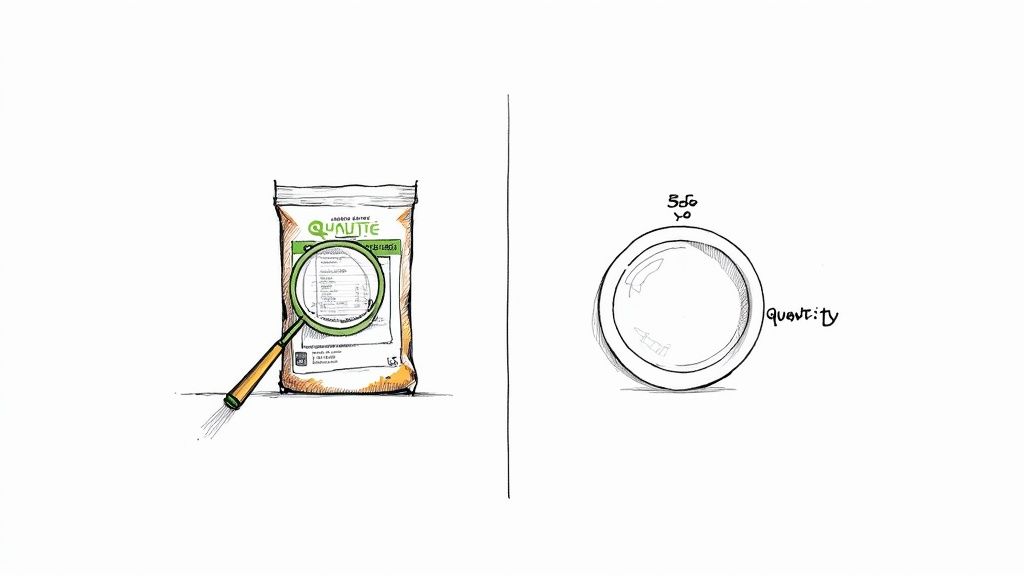
The image above perfectly captures Yuka's value. Its clean, color-coded scoring system instantly tells you if a product is a good choice, cutting through the noise of confusing nutrition labels.
While these apps are fantastic for what they do, they don't paint the full picture of your health. For anyone managing cardiovascular health, an app like HeartFit (heartfit.ai) is a crucial addition. It’s built specifically to track clinical data that Yuka and MyFitnessPal just don't cover, like blood pressure trends and cholesterol levels—the lipoprotein measurements that indicate heart disease risk. Using all three creates a powerful, well-rounded approach to managing your health.
In short, Yuka focuses on ingredient quality, MyFitnessPal on calorie quantity, and specialized apps like HeartFit track clinical outcomes like blood pressure.
To really get to the bottom of the Yuka vs. MyFitnessPal debate, you have to look past their main selling points and dig into how they actually work. Sure, both apps have barcode scanners, but what they do with that scan is where they diverge completely. It all comes down to their core philosophy and who they’re built for.
One is a meticulous logbook, the other is an on-the-spot advisor. MyFitnessPal is legendary for its comprehensive calorie and fitness tracking, backed by a massive food database. Its whole world revolves around logging, scanning, and analyzing your macronutrients in detail. It’s all about the numbers.
Yuka, on the other hand, is built for instant analysis of food and cosmetic products, giving you a quick-glance health rating and a transparent look at the ingredients.
MyFitnessPal's biggest asset is its absolutely massive food database. We’re talking millions of items from global brands, restaurant chains, and even user-submitted entries. When you scan a granola bar, it instantly serves up the nutritional nitty-gritty—calories, protein, carbs, fats, sugar, you name it—all ready to be logged in your daily diary. Its main purpose is quantification.
Yuka takes a totally different path. Scanning that same granola bar kicks off an analysis of its quality. Instead of just showing you the numbers, the app interprets them for you. It spits out a score from 0 to 100 based on the food's nutritional value, whether it contains certain additives, and if it's organic.
Here’s a glimpse at how MyFitnessPal handles data entry, which really highlights its focus on detailed logging.

This kind of interface is built for someone who wants to meticulously track their meals and measure progress against specific daily targets.
The real split between these two apps becomes clear when you look at the kind of advice they offer. MyFitnessPal is a data playground for people who want to be in the driver's seat of their nutritional strategy.
MyFitnessPal's Insights Include:
Yuka functions more like a knowledgeable shopping companion, boiling down complex information into a simple, immediate verdict.
Yuka’s entire purpose is to make ingredient labels less intimidating. It directly answers the question, "Is this good for me?" with a simple, color-coded score. It empowers you to make a better choice right there in the grocery aisle, no nutrition degree required.
Yuka's Analysis Includes:
Let's put this into practice. Imagine you're at the store and scan a popular oat and honey granola bar with both apps.
In a nutshell, MyFitnessPal tells you how that bar fits into your daily calorie puzzle, while Yuka tells you why you might want to pick a different puzzle piece altogether. Understanding that difference is everything when choosing the right app. Of course, many people find they get the most value by using both.
If you're trying to build a complete health monitoring toolkit, it's worth checking out our guide on the best health tracking apps to see how tools like these can work together.
When you're trusting an app with your health, you need to know where its information comes from. The core difference in the Yuka app vs MyFitnessPal debate really boils down to how each platform gathers and presents its data. Their approaches are worlds apart, and understanding this is key to knowing which one to trust for your specific goals.
Yuka is all about transparency and independence. It pulls its product information from Open Food Facts, an open-source, non-commercial database built by volunteers around the globe. Yuka then runs this data through its own standardized, three-part scoring algorithm.
This system isn't just arbitrary; it's grounded in established nutritional science.
MyFitnessPal takes a completely different route. It uses a hybrid model, combining a professionally managed food database with a massive, user-generated one. This crowdsourced approach is both its biggest advantage and a significant drawback.
On one hand, the database is enormous, with millions of food items from all over the world. But on the other hand, the quality of entries submitted by users can be all over the place, sometimes leading to inaccurate calorie counts or nutrient info.
MyFitnessPal knows this, so they created a verification system to help out.
When you're logging a food, keep an eye out for a small green checkmark. This symbol means that MyFitnessPal's team has confirmed the nutritional information is accurate and complete, giving you a much higher level of confidence in that entry.
For anyone managing a health condition or chasing very specific dietary targets, sticking to these verified entries is non-negotiable.
The challenge with data accuracy in nutrition apps isn't new. A 2015 study published in the Journal of the American Medical Informatics Association highlighted that while these apps are useful for tracking, errors and inconsistencies are common in crowdsourced databases. This just reminds us to use these apps as tools, not as infallible medical guides.
With MyFitnessPal, the accuracy of your log really depends on you. You have to be diligent about picking verified entries or taking a moment to double-check the numbers against the product's label. Yuka's strength is its standardized, science-backed report card, but its database might not have as many niche or regional products, especially in North America.
Ultimately, both apps offer something valuable. Yuka gives you a consistent quality score, while MyFitnessPal delivers a huge, but sometimes variable, quantitative database.
Disclaimer: This article is for informational purposes only and is not a substitute for professional medical advice. The information provided by these apps should not replace guidance from a qualified healthcare provider or registered dietitian. Always consult a professional before making significant changes to your diet or lifestyle.
When you’re weighing Yuka against MyFitnessPal, it’s easy to get stuck on what the free versions offer versus what you’ll pay for. Both apps give you a ton of value right out of the gate without spending a dime, but their premium subscriptions are built for completely different purposes.
Yuka’s free version is incredibly generous. It gives you the one thing you downloaded it for: unlimited product scans to check health scores and ingredient lists. If your main goal is to make smarter, cleaner choices while wandering the grocery aisles, the free app is all you'll ever need.
MyFitnessPal also delivers on its core promise for free—calorie and macro tracking backed by a massive food database. It gets the basic job done, but you'll have to navigate some ads along the way.
Upgrading to Yuka Premium isn't about unlocking secret nutritional data. It’s about making the app work better for you, especially if you're serious about avoiding specific ingredients.
MyFitnessPal Premium is a different beast entirely. It’s for people who have moved past basic calorie counting and want to get granular with their nutrition. It turns a simple tracker into a sophisticated analysis tool.
MyFitnessPal's premium tier is for the user who wants to fine-tune their diet down to the milligram. It offers deep control over nutrient goals, which is critical for managing health conditions where specific numbers—like sodium for blood pressure or fiber for cholesterol—really matter.
The money behind these apps tells a story, too. MyFitnessPal is a market giant, pulling in USD 171 million in 2021. That kind of revenue supports a mainstream tool that appeals to everyone from casual dieters to competitive athletes. Yuka’s smaller financial footprint points to its mission: a focused, niche tool for ingredient transparency and educating shoppers.
Here’s a quick breakdown of what you get when you decide to upgrade:
Deciding between Yuka and MyFitnessPal isn't about finding the single "best" app. It's about figuring out which one fits your life and your goals right now. Their strengths really shine in different situations. To help you sort through the Yuka app vs MyFitnessPal choice, let's walk through a few real-world examples.

By looking at how different people use these tools, you can get a much clearer picture of which one—or even both—makes the most sense for you.
Meet Sarah. She's a busy mom of two, and her main goal is to feed her family clean, wholesome foods. She wants to steer clear of artificial additives and sneaky sugars. She’s not obsessing over every last calorie; for her, it's all about the quality of what goes into the shopping cart.
Here's her scenario:
While cruising the dairy aisle, Sarah picks up a popular yogurt for her kids. Before it hits the cart, she pulls out her phone and scans the barcode with Yuka. The app flashes a poor score of 32/100, flagging the high sugar content and artificial colors. Right away, Yuka suggests an organic alternative with a much better score of 85/100. Sarah makes the swap, feeling confident she made a healthier choice.
Ideal Tool: For Sarah, Yuka is a game-changer. It's her on-the-spot decision-making tool, cutting through confusing labels so she can make better choices at the supermarket without needing a nutrition degree.
Now, let's look at Alex. He's a cyclist training for a century ride, and his focus is pure performance. That means he needs to dial in his energy intake, hitting very specific macronutrient targets for fuel and recovery.
Here's his scenario:
After a grueling training ride, it’s time to refuel. Alex prepares a meal of grilled chicken, quinoa, and roasted vegetables. He weighs each part and logs it into MyFitnessPal. The app immediately calculates that his meal has 55g of protein, 70g of carbs, and 20g of fat—exactly what he needs to support muscle repair. He can see precisely how this meal fits into his daily totals.
Ideal Tool: No question about it, MyFitnessPal is Alex's go-to. Its granular tracking of calories and macros is absolutely essential for fueling his demanding training schedule and optimizing his physical output.
Finally, there’s Robert. He’s taking a proactive approach to managing his heart health. His doctor recommended lowering his sodium intake to keep his blood pressure in a healthy range, following guidance from the American Heart Association. He needs a mix of quality control and quantitative tracking.
Here's his scenario:
Robert has figured out a smart way to use both apps.
Ideal Tool: For Robert, a combined approach works best. Yuka helps him filter for high-quality products on the shelf, while MyFitnessPal ensures he's hitting the specific nutrient targets his doctor advised. It’s a perfect example of how these two apps can work together for a truly comprehensive health strategy.
Here's the thing: neither Yuka nor MyFitnessPal was ever meant to be your all-in-one health command center. Think of them as incredibly useful, specialized tools in a bigger toolbox. To get a real handle on your cardiovascular wellness, you need a system that connects the dots between food quality, calorie counts, and the actual impact on your body's most important numbers.
That's where a dedicated heart health app becomes non-negotiable. Building a smart, well-rounded app stack gives you the full picture, letting each app do what it does best.
Here are some of the top tracking apps to consider for a complete health overview:
The real magic happens when you combine the strengths of these three apps into a seamless system. This workflow isn't just about collecting data; it's about turning abstract health goals into concrete, daily actions and seeing the results for yourself.
An integrated approach moves you from just gathering data to making truly informed decisions. By using Yuka for shopping, MyFitnessPal for daily logging, and HeartFit for long-term monitoring, you create a powerful feedback loop that connects your grocery cart directly to your cardiovascular health.
Here’s how to make it work, step-by-step:
This three-app system gives you a clear, tangible strategy for managing your health from all angles. Each app has a distinct, complementary role, working together to create a comprehensive view of your wellness journey. You can learn more about the specific HeartFit features that make it the ideal hub for all your cardiovascular data.
Disclaimer: This article is for informational purposes only and is not a substitute for professional medical advice. Always consult with a qualified healthcare provider before making any changes to your diet or lifestyle.
When you're comparing tools like Yuka and MyFitnessPal, a few specific questions always seem to pop up. Let's clear the air on some of the most common ones so you can decide what's right for you.
While Yuka is fantastic for steering you toward healthier, less processed foods—which can certainly support weight management—it isn't built for calorie counting. Its primary function is to score food quality.
For a structured weight loss plan where you need to track calories in versus calories out, MyFitnessPal is the better tool. It's designed specifically for that purpose.
This is a great question. MyFitnessPal's massive food database is its biggest strength, but it's also a weakness because much of it is user-generated. Inaccuracies can definitely occur.
To combat this, look for the small green checkmark next to food items. That's your signal that the nutritional information has been verified by their team. Since the CDC emphasizes that accurate tracking is crucial for health goals, always try to use verified entries or just double-check the numbers against the product's label.
According to the American Heart Association, a normal resting heart rate for most adults is between 60 and 100 beats per minute (bpm). Factors like fitness level, stress, and medications can affect this rate. It's best to consult a healthcare provider to understand what's normal for you.
Both apps bring something useful to the table here. It really depends on what you need to manage.
With Yuka Premium, you can set alerts for specific ingredients like gluten, lactose, or palm oil. This is a great feature in the grocery aisle when you're trying to screen products before they even make it into your cart.
MyFitnessPal Premium, on the other hand, is all about the numbers. It lets you set daily targets for nutrients like sodium or fiber. This is incredibly useful if you're managing a condition like hypertension and need to follow guidelines from the American Heart Association.
You can even see how these tools work together in a complete heart-health workflow.
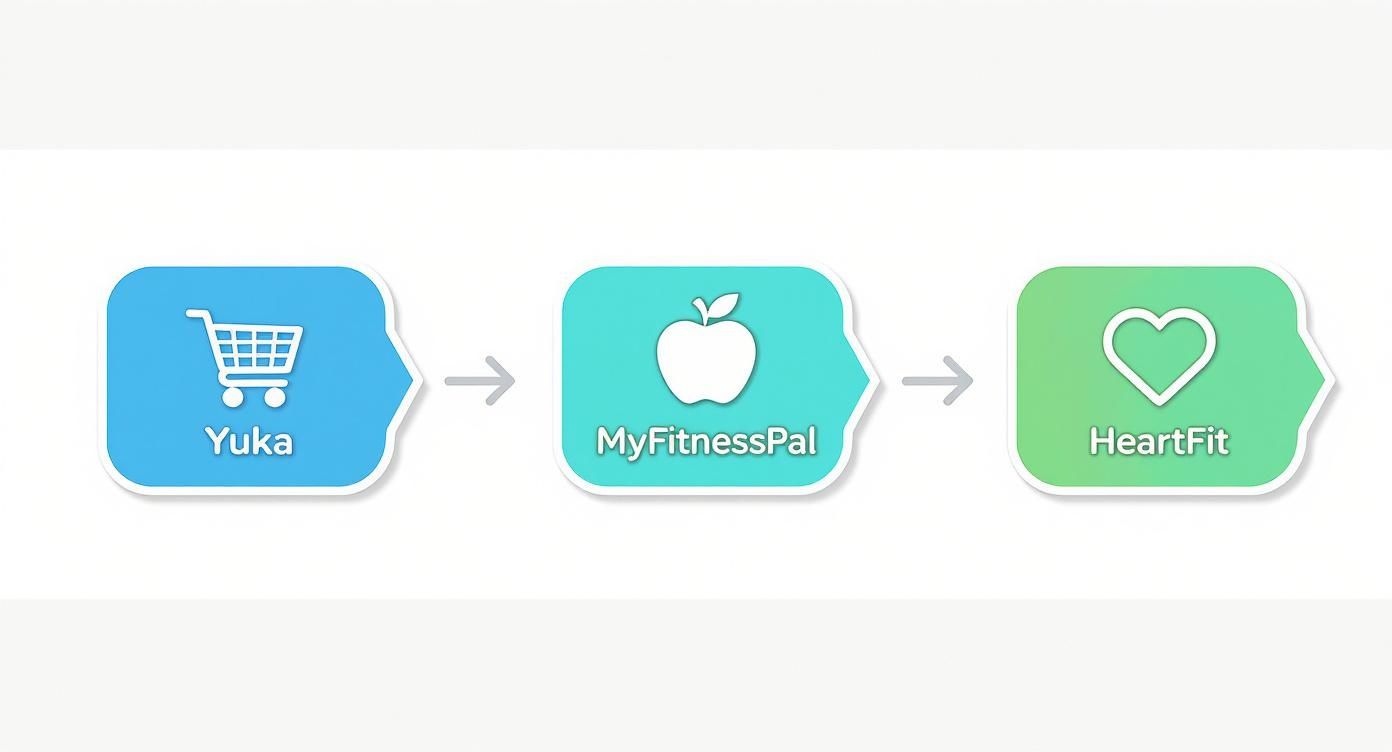
The path is pretty clear: Yuka helps you make smarter choices at the store, MyFitnessPal tracks what you eat each day, and a specialized tool like HeartFit can help you monitor the long-term impact on your cardiovascular health.
If you have more questions, we've compiled an even bigger list. You can find more answers in our frequently asked questions.
Download HeartFit.ai and start your 66-day journey today.



Join the #hearthealth crowd who are leveling up their heart health with HeartFit.ai